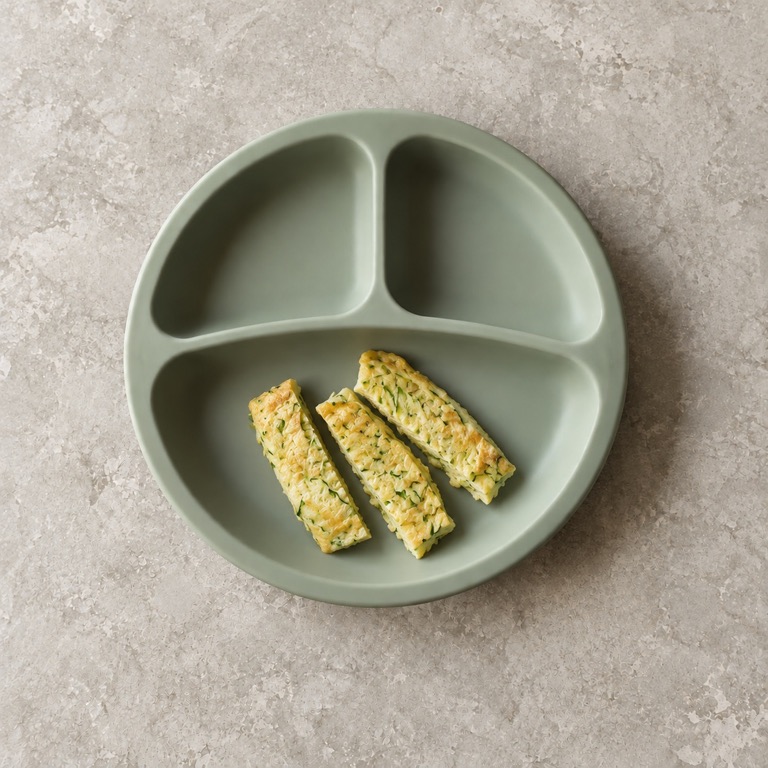
Find recipes with serving instructions for first tastes, soft finger foods and family meals.
Food Beta
From first tastes to family meals.
Find foods to try and see how to serve them for your baby’s stage. Recipes and a weekly meal plan help with what comes next, while Gaia keeps track of foods tried, allergens and what’s in the freezer.
Food is in beta testing and is not yet in the public App Store version. Recipes and feeding guides are draft and awaiting specialist review. General information, not medical advice.
8:23
Set up Food
Tell Gaia whether Luz has started solids to get meal suggestions.
Set up FoodNext mealsView meal plan
AI-generated serving examples
Allergen history
No allergen history added yet. Add what she’s tried, or record a suspected reaction.
All allergensThis shows what you’ve logged. Gaia can’t tell whether she is allergic or tolerates a food.
Learn
General information, not medical advice. Draft, awaiting review by a registered dietitian.
About this guidanceSpotted something wrong? Tell usSample data · Food UI preview
ActivityHistoryTrendsGrowthFood
Choose meals yourself or start with a draft that follows your baby’s needs. The shopping list follows the plan.
Everything currently in Food is included: guides, recipes, planning and tracking. No subscription.
Set up Food
Start with where your baby is now.
The setup card sits at the top until you finish. Tell Gaia whether your baby has started solids, what they have already tried, and any needs or advice from their clinician.
You can skip a question and come back to Food preferences. No allergen history? The home card stays empty until you add it.
Set up Food
Tell Gaia whether Luz has started solids to get meal suggestions.
Set up FoodRecipes
Something to cook for their stage.
Forty recipes, from smooth first tastes to family meals. Each includes ingredients, preparation steps and how to serve it as your baby moves from Starting to Exploring, Self-feeding and Family foods.
See which ingredients your baby has tried, which would be new, and what you already have in the freezer. Filter recipes around their needs and your family’s food choices.
Recipes
Search
A recipe or a food
Browse by collection
Dinners to share2 recipes
First meals10 recipes
Make ahead12 recipes
Lunches15 recipes
AI-generated serving examples
All recipes
ExploringIron-richNew for herFreezes well
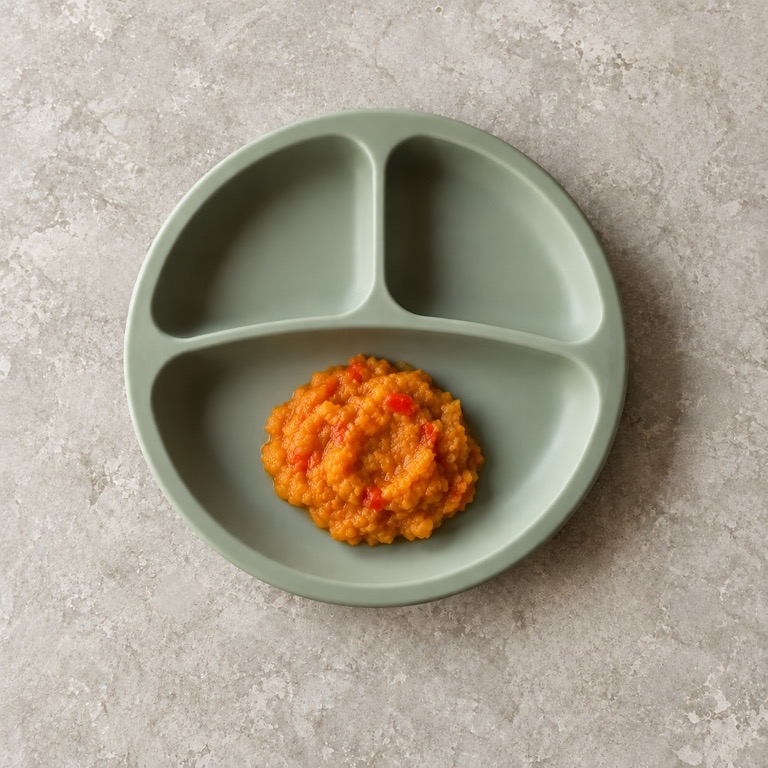
Pumpkin and red lentil mash with pepper7 to 9 months · Freezes well · 25 min
StartingExploringSelf-feedingFamily
Ingredients
Pumpkin5 bags in freezer
Red lentilsTried
Red pepperNew for Luz
How to serve
Mash with soft lumps. Blend smooth for Starting, or serve thicker on toast fingers for Self-feeding.
Log as eatenAdd to plan
Meal plans
Put the week on the table.
Choose meals yourself or review a draft. Keep the suggestions you want and discard the rest before saving. The shopping list follows the meals you keep.
For cooking ahead, start with two or three batch-friendly recipes plus fresh meals. Gaia groups the planned meals each batch can cover. After you cook, confirm the portions you actually froze to add them to Freezer and fridge.
Drafts respect the needs you have entered and leave new allergens for you to introduce. Some slots may stay empty if there aren’t suitable recipes. Review ingredients and serving instructions before cooking.
This weekDone
Hold a handle to drag. Tap it to choose a day and meal.
Sample meal plan · edit view in Gaia
Thursday 15
Breakfast Iron-fortified cereal with strawberries
Iron-fortified cereal with strawberriesLunch Pumpkin and red lentil mash with pepper
Pumpkin and red lentil mash with pepperDinner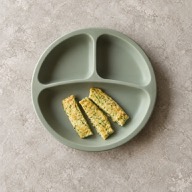 Omelette strips
Omelette stripsReview your draft12–18 Oct
Keep the meals you want. Uncheck the ones you don’t.
Interactive preview · choices stay on this page, not in your plan.
Tuesday
3 meals selected
Cook this week2 batches + fresh meals
Cook ahead for several planned meals.
Pumpkin and red lentil mash with pepperFor Monday, Wednesday and Friday
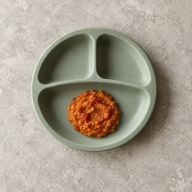
Red lentil and tomato dalFor Tuesday and Thursday
In Gaia, mark a batch cooked and confirm how many portions you froze. Only then is it added to Freezer and fridge.
Mark cookedTodayMeals logged
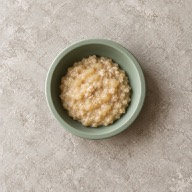
Oats and pearBreakfast · 8:10
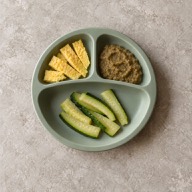
Egg, lentils and zucchiniLunch · 12:40
AI-generated serving examples
The checklist
“What has she tried?” Print the answer.
Daycare asks it at pick-up, and a printed list on the fridge is only as current as the last time somebody found a pen. The checklist holds every food in the catalogue: ticked with the day she first had it, or still empty.
Tick one off as you log a meal, or mark the ones from before Gaia. Print or share it with her needs and allergens on top, or just the foods she has tried, on one page.
Luz’s foods
9 months · printed 13 October
Needs
No pork (family choice)
Allergens
MilkInEggTryingPeanutInWheatInSoyTryingFishNot yetSesameNot yetTree nutsNot yetShellfishNot yetReactionsNone
Foods · 38 tried
Fruit
AppleApricotAvocadoBananaBlackberryBlueberryKiwiMangoPear
Vegetables
BroccoliCarrotCauliflowerGreen beansPeasPumpkinSpinachSweet potatoZucchini
Protein and grains
ChickenChickpeaEggLentilOatsRiceSalmonToastTofu
Prepared by Luz’s family from their own records. Not a medical document.
Progress
A record of their first tastes.
See the foods and meals you have logged, recent foods and allergen records. Milestones reflect your records, not a score of your baby’s feeding ability.
Skill badges are moments a caregiver records. Gaia does not infer a feeding skill from a meal or a photograph.
Progress
Luz
2Foods tried
1Meals logged
Allergen records0
Recent foods
BananaBefore Gaia
Broccoli14 Oct 2026
My milestones
Moments from your food log, at your own pace. Tap a badge to see what counts.
Foods
1
1 food✓ Recorded10
10 foods○ Not recorded yet25
25 foods○ Not recorded yetSample records · not a readiness or development assessment
Allergens
When did she last have peanut?
Add what she has already tried, or record a suspected reaction from the allergen section. The home card only shows history you have entered. The full list follows your region: nine allergens in the US or fourteen in the EU.
Reaction logging asks the emergency question first, then lets you choose suspected foods, symptoms and notes. Gaia records what you observed; it cannot determine an allergy or tell you that a food is safe.
AllergensUS · 9
No allergen history added yet. Add what she’s tried, or record a suspected reaction.
This shows what you’ve logged. Gaia can’t tell whether she is allergic or tolerates a food.
All allergens Log a reactionLog a reaction
Sample record · after the emergency check
Suspected foods
Search foods or add another food
Egg
What did you notice?
RashVomitingSwellingOther
Notes
What happened, and when?
A record to discuss with her clinician, not an allergy diagnosis.
Save reactionGuides
How to start, and what goes with what.
Read the Food preview guides on starting solids, combining foods, batch cooking, allergens, gagging or choking, and stopping breastfeeding. Each guide includes its sources.
All seven are drafts for testing, not medical advice. Allergens, choking first aid and stopping breastfeeding still need their own specialist reviews. Open a guide below to read it.
Guides7 draft guides
Getting ready · 2 of 4
Ready when all three are true
Sits up with a steady head
Brings food to the mouth on purpose
Swallows food instead of pushing it back out
Sample day
See how a day might fit together.
The app’s Sample day view brings milk feeds, food opportunities and rest into one illustrated example. Choose an age range, feeding method and whether solids have started in Gaia.
It shows the order of a day, not clock times, required feeds or a sleep schedule. The examples are drafts awaiting clinical review, not your baby’s log or a feeding prescription.
Sample day
Example only, not her log. Changing this view does not update Food setup or add meals.
Age range 8–9 months
BreastfeedingBottle feedingMixed feeding
Before solidsAfter starting solids
8–9 months
Order of the day, not clock times. Milk feeds and naps can happen between these moments.
MorningA breakfast food opportunity alongside her usual milk feeds.
MiddayA second food opportunity. Let her decide how much to eat.
AfternoonMilk feeds, play and rest. Milk is still her main drink.
EveningA third meal can fit here as meals become established. Continue milk feeds.
MilkBreast and bottle feeds both follow hunger and fullness cues. Do not drop feeds to match this example.
MealsBuild towards three meals gradually. A third food opportunity here is optional while meals are being established.
SleepNaps and night waking vary. Rest markers do not set nap times, wake windows or a night-weaning plan.
Freezer and fridge
Cook once, freeze in 60 ml bags, throw less away.
Add a batch yourself, or mark a planned batch cooked and confirm its portions. Gaia keeps the count and the use-by date. Planning a meal does not add food to your freezer.
When a portion is eaten, tap Used in Freezer and fridge to take it off the count. Gaia keeps the 24-hour use-by visible while it defrosts.
Freezer and fridge3 batches · 1 bag defrosting
Defrosting in the fridge
Pumpkin · 1 bagUse by tomorrow, 9:00
In the freezer
Roasted pumpkin purée for the freezer5 bags · 60 ml · until 12 Jan
Pumpkin and red lentil mash with pepper3 bags · 60 ml · until 13 Jan
Red lentil and tomato dal6 bags · 60 ml · until 9 Jan
Sample batches · AI-generated serving examples
Before your first batch
Nothing in the freezer yet. Add a batch when you cook ahead.
Add a batchWeaning
Stopping breastfeeding, at your own pace.
If you log nursing or pumping, an optional plan drops one feed at a time, from the feeds you actually log. It suggests which to drop next, slows down when you need it to, and a feed coming back is not a setback.
When to stop is your decision. The plan only helps with how.
WeaningNursing · one feed every 5 days
Nursing feeds a day · last 14 days
MorningKeeping
MiddayDropped 3 Oct
AfternoonDropped 8 Oct
BedtimeKeeping
NightNext, around 15 Oct?
Before you start.
What parents ask about Food, answered plainly.
Can I use Food in the App Store version yet?
Not yet. Food is in beta testing. This website lets you explore the preview and read the seven draft feeding guides, but the Food tab is not yet in the public App Store version. The guides are awaiting specialist review and are not medical advice.
Is the Food tab free?
Yes. Everything currently available in Food is free, with no subscription and no trial. The Food preview includes seven guide drafts, with sources and review notices. They are not clinically approved.
When does Food start?
The tab is there from the start; before about four months it explains the signs that a baby is ready. If you allow notifications, Gaia sends one on the morning she turns six months, then a short setup asks what she has had already and anything Gaia should know. Every step can be skipped, and the notification can be turned off.
Can I print the list for daycare?
Yes. Print or share every food, ticked with the date she first had it, with her needs and allergens at the top. There is also a one-page version with only the foods she has tried.
Which allergen list does it use?
The one for where you live: the nine major allergens in the US, or the fourteen in the EU, which adds celery, mustard, lupin, molluscs and sulphites and counts every cereal with gluten. Your history records the introductions and reactions you enter; it does not confirm that a food is safe or tolerated.
Does Gaia give medical or allergy advice?
No. The available guides are general information for healthy babies, and each guide ends with its source list. Gaia does not diagnose, assess a reaction or recommend supplements, and it cannot tell whether a food was tolerated. Talk to your doctor before starting solids if your baby was born early or has a medical condition, and before allergens if they have severe eczema or a food allergy. In an emergency, call your local emergency number.
Does Gaia use AI to plan meals?
No. A drafted week follows a few plain rules: one or two foods she has not tried, allergens she already has kept in about weekly, freezer portions before they run out of time, and nothing she reacted to or her needs rule out. Adding a new allergen is always your choice.
Can everyone who feeds her use it?
Yes. Every caregiver signs in with their own account and sees the same Food tab, so whoever gives lunch logs it under their own name, and the shopping list updates for everyone.
Free, from the first spoon.
Food is in beta testing and is not yet in the public App Store version. You can download Gaia now for feeds, sleep, diapers and growth.
Gaia’s food guidance is general information for healthy babies, not medical advice. Always stay with your baby while they eat.